
Display Preferences controls how certain information is visually presented to travelers on your booking pages. These settings are global, meaning they apply across all tours unless overridden at the individual tour level.
You can find the Display Preference settings via Dashboard → Tour Settings → Miscellaneous Settings → Display Preference.
Below are the lists of settings available in Display Preferences:
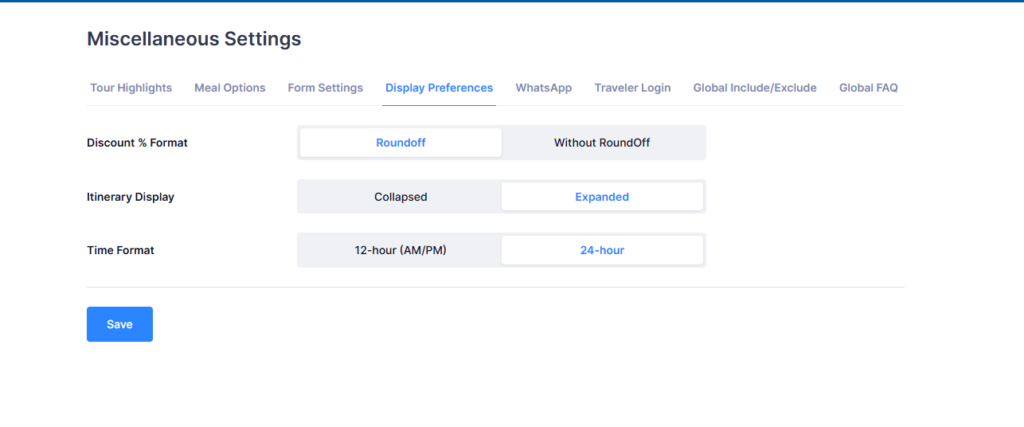
Discount % Format #
Controls how discount percentages are shown to travelers.
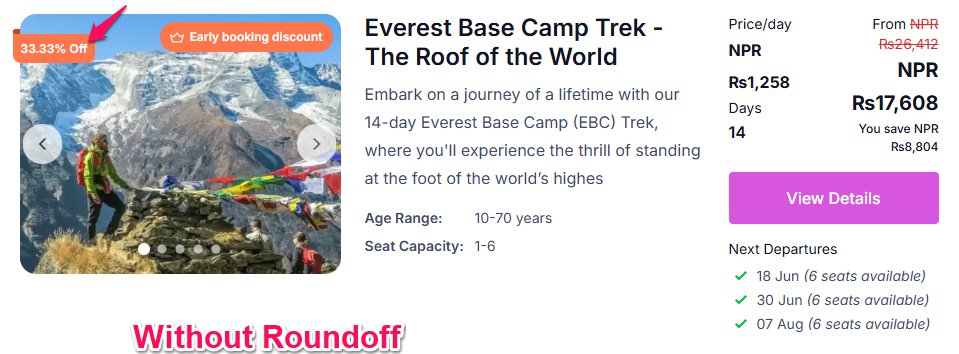
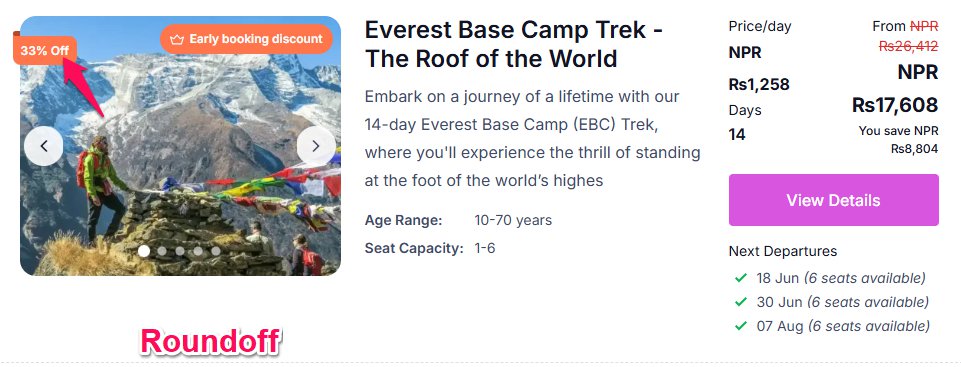
- Roundoff: Displays the discount as a whole number (e.g., 15%). Best for cleaner, simpler presentation.
- Without RoundOff: Displays the exact discount value with decimals (e.g., 14.67%). Useful when pricing precision matters.
Itinerary Display #
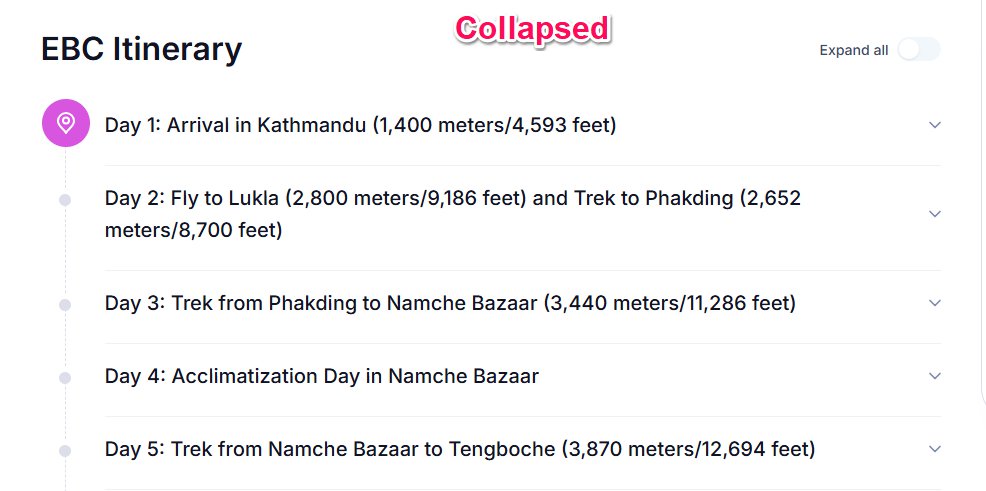
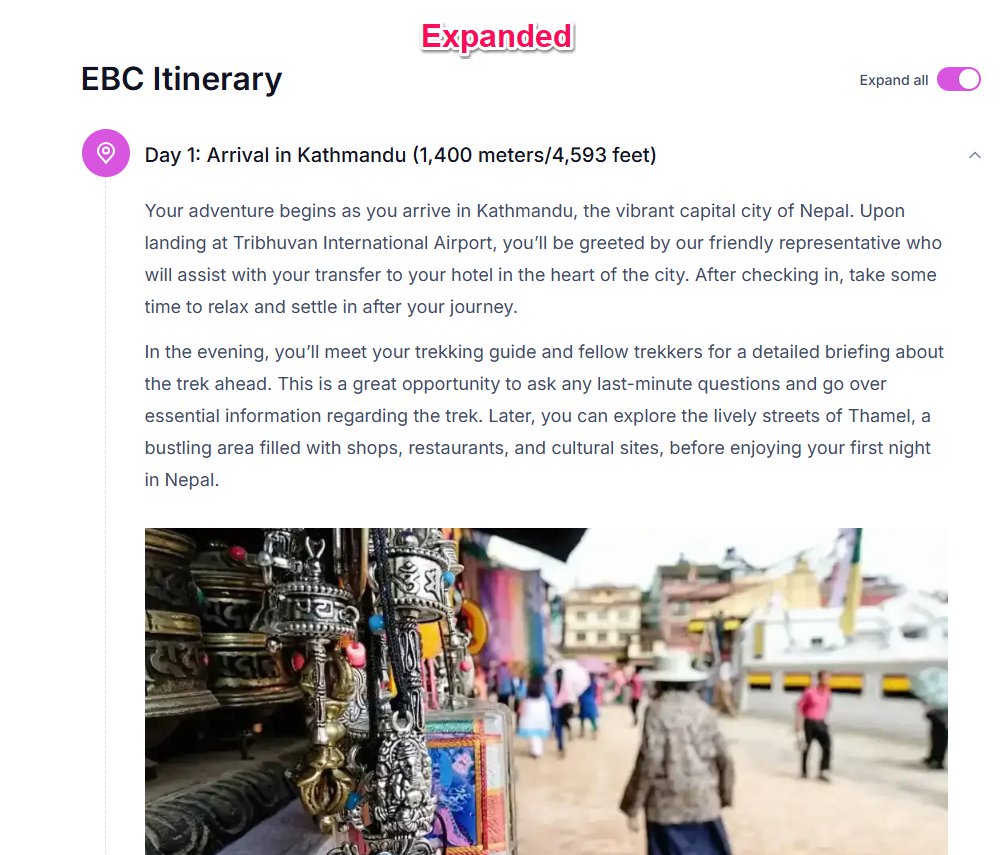
Controls how the tour itinerary appears by default on the tour detail page.
- Collapsed: Itinerary sections are folded by default. Travelers can expand them manually. Keeps the page compact, especially useful for longer itineraries.
- Expanded: All itinerary sections are visible immediately when the page loads. Better for shorter itineraries or when you want travelers to see the full day-by-day breakdown upfront.
Time Format #
Controls how times are displayed across tour schedules and departure times.
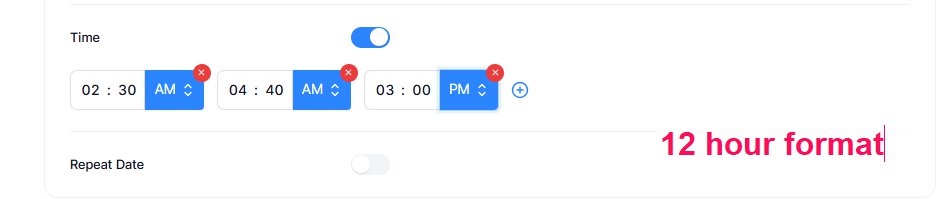
- 12-hour (AM/PM) : Displays times in the standard 12-hour clock format (e.g., 2:30 PM). Suitable for markets where AM/PM notation is more familiar. You can add the time in this format for a single-activity tour.
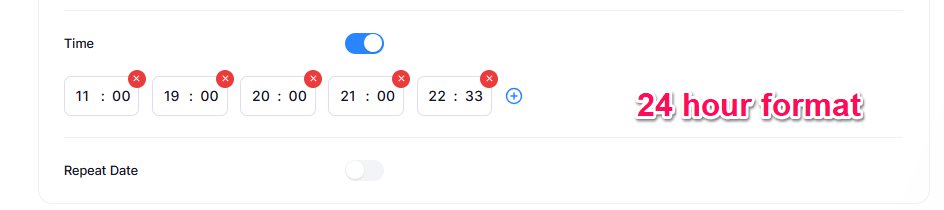
- 24-hour: Displays times in 24-hour format (e.g., 14:30). Preferred in many international and professional travel contexts.
Once you’ve configured your preferred options, click Save to apply the changes.
📧 If you face any issues or have questions, please reach out to our support team or initiate the chat located on the right.