
Adding custom CSS in Tripcart allows you to apply personalized styling to your website. Follow these steps to configure custom CSS settings.
Accessing Custom CSS Settings #
- Log in to the Tripcart Dashboard.
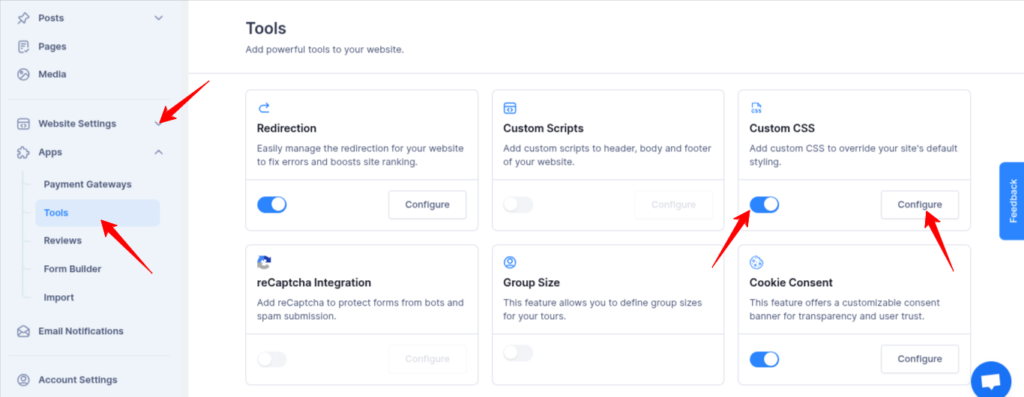
- In the left sidebar, navigate to Apps > Tools.
- Locate the Custom CSS option.
- Toggle the switch to Enable custom CSS.
- Click the Configure button to proceed.
Adding Custom CSS #
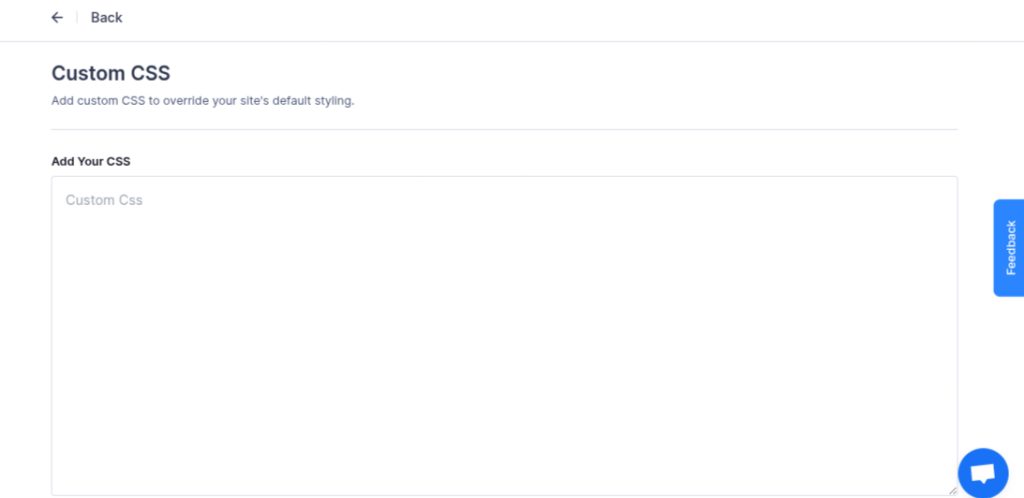
- Enter your custom CSS code in the CSS field.
- Click Save to apply the styling changes to your site.
By following these steps, you can easily manage and integrate custom styles into your site to enhance its appearance.
📧 If you face any issues or have questions, please reach out to our support team or initiate the chat located on the right.