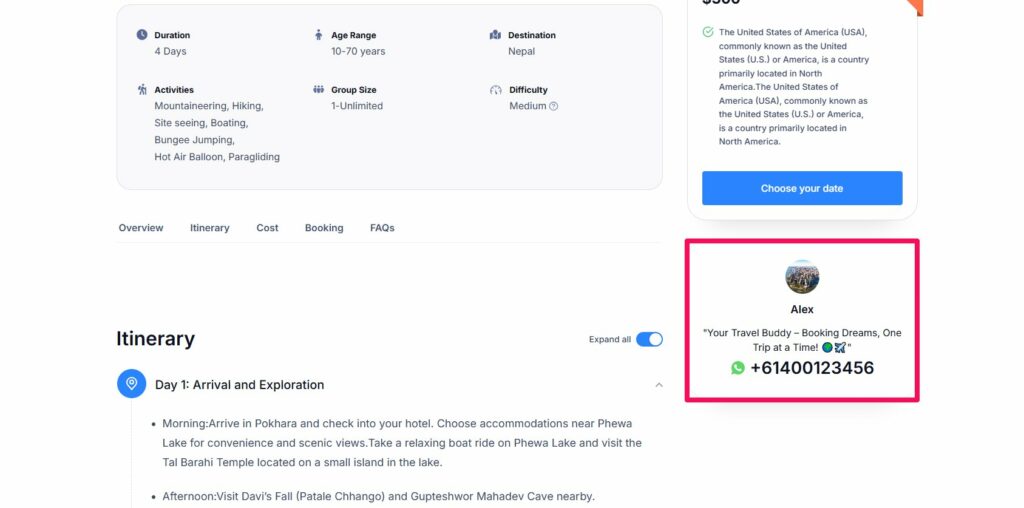
WhatsApp number to your tour page allows agents to provide instant support, answer inquiries, and build trust with potential clients. It enables real-time communication for personalized assistance and quick bookings. This easy connection boosts customer satisfaction and conversion rates.
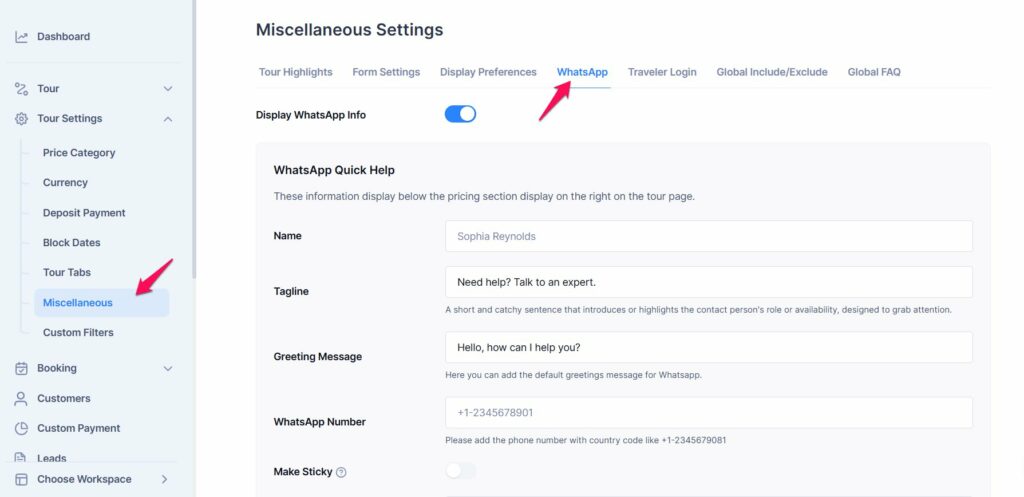
To add a WhatsApp number, please navigate to the Dashboard > Tour Settings > Miscellaneous.
Please follow the below instructions to configure the settings
- Enable the toggle to display WhatsApp on the tour page.
- Add the Name of the agent.
- Add a Tagline for the account.
- Write a Greeting Message for WhatsApp contact.
- Enter the WhatsApp Number with code in the WhatsApp Number input field.
- Upload an image for the account.
- Save the Changes.