
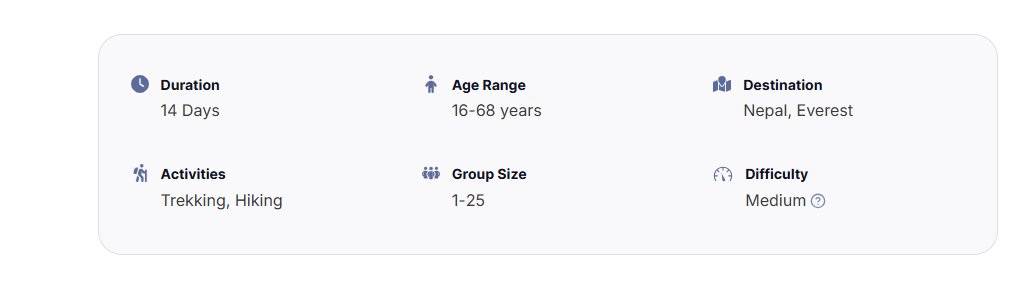
Tour information refers to key details about a specific tour that helps travelers understand essential aspects of their trip. This can include information such as altitude (elevation of a destination), transportation (types of transport provided), accommodation (details about where travelers will stay), and more. These details are typically added to each tour to enhance the traveler’s experience by providing crucial insights into the logistics and characteristics of the trip.
Adding Tour Information #
- Log in to your Tripcart account and go to the Dashboard
- Click on Tour > Tour Info
- You will see a list of predefined tour information. If you want to use any of these predefined details, simply toggle the switch to enable them.
- You can enable or disable the toggle to display tour information on the tour detail page according to your preference. Duration, Age Range, Destination, Activities, and Difficulty Level are enabled by default. You can customize these settings based on your preference.
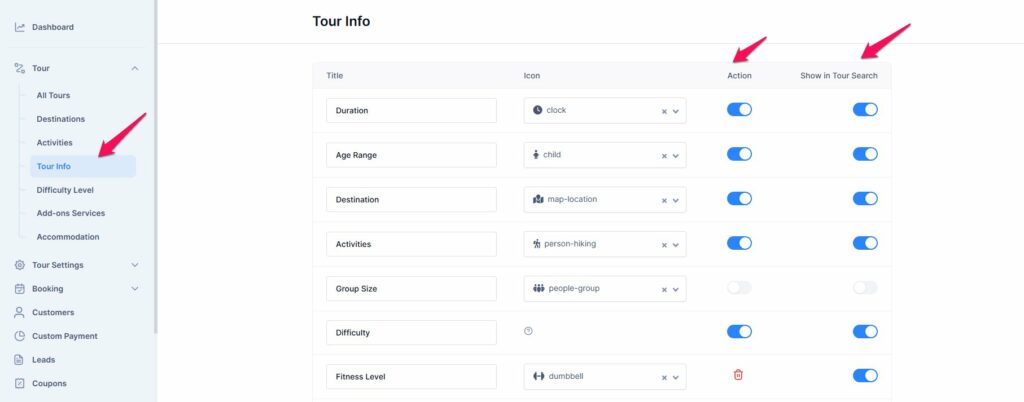
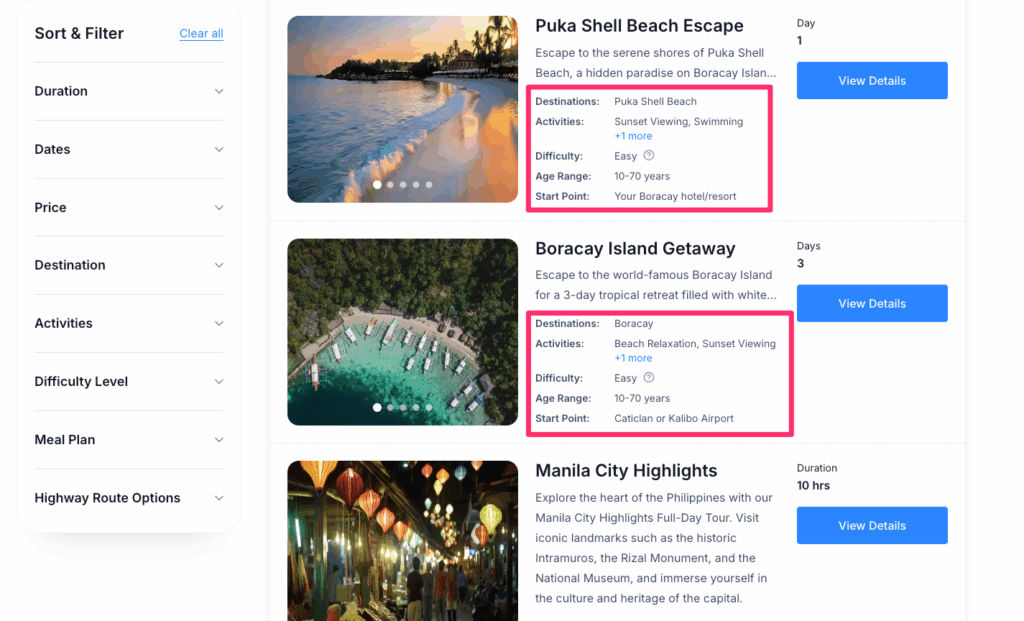
- Show in Tour Search: This toggle allows you to choose which tour information should appear in the tour blocks on the tour search page. Once you enable the toggle for a specific tour detail, that information will be displayed on the Tour block in the Tour search page.
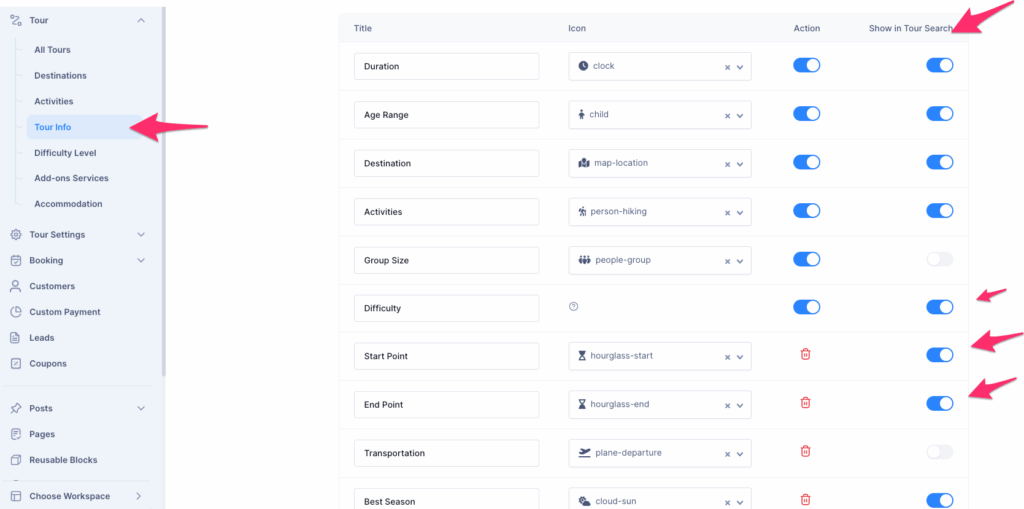
- To add your own, click the Add Tour Info button.
- Enter the name for the tour information (e.g., Altitude, Accommodation, Transportation).
- Select an icon to represent the type of information (e.g., a bed icon for accommodation, a car for transportation).
- After entering the necessary details, click “Save” to add the tour information.
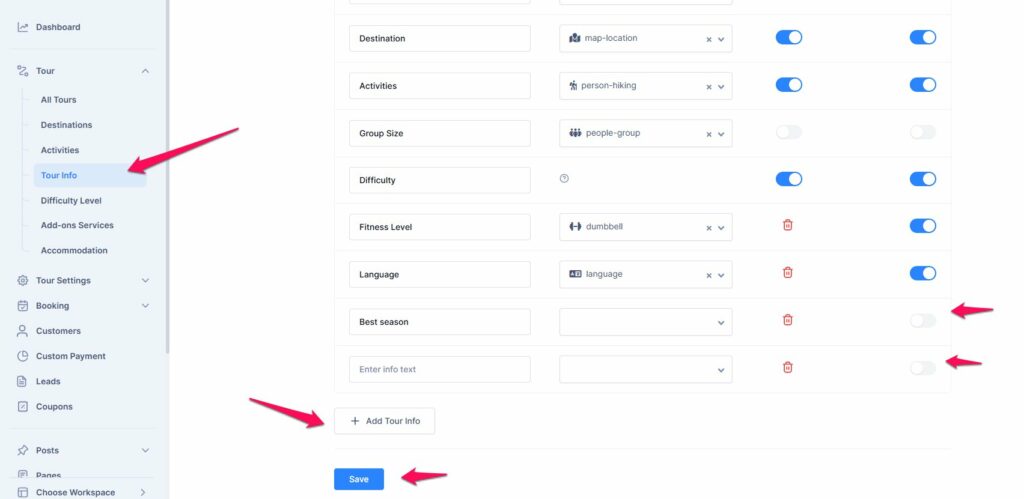
- If you want to remove any tour info, simply click the delete button next to it.
📧 If you face any issues or have questions, please reach out to our support team or initiate the chat located on the right.