
The Tax feature in Tripcart helps tour businesses automatically apply taxes during checkout. This is important for maintaining transparent pricing, complying with local tax regulations, and reducing manual calculation errors during bookings. Once the tax feature is enabled, the tax details will be displayed throughout the booking process, including the checkout page, invoices, and booking details sections.
How to Enable Tax #
To enable tax calculation:
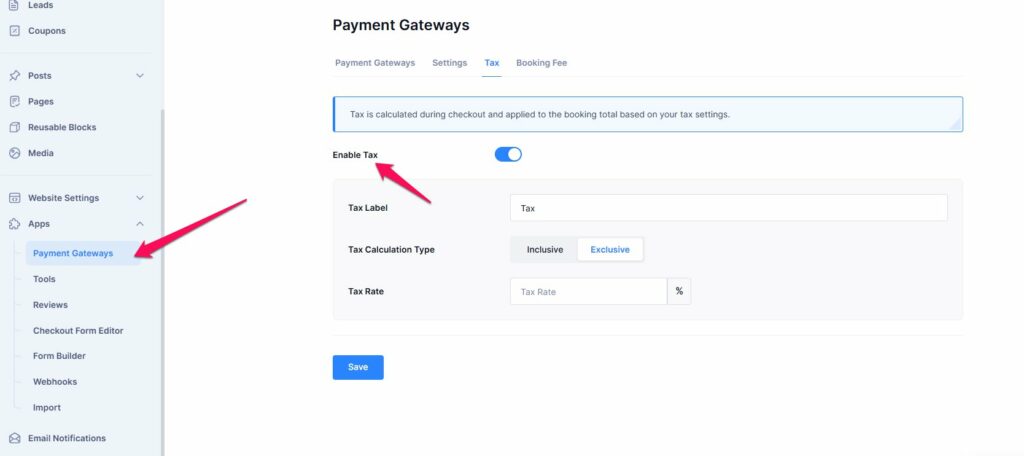
- Go to Dashboard → Apps → Payment Gateways → Tax
- Enable the Tax toggle
- Configure the following settings:
- Tax Label – Name displayed during checkout (Example: VAT, GST, Tax)
- Tax Calculation Type
- Inclusive – Tax is included within the tour price
- Exclusive – Tax is added separately during checkout. Once you select the Exclusive taxation, you will have the option to add a tax rate.
- Tax Rate – Enter the tax percentage
- Click Save
How Tax is Calculated #
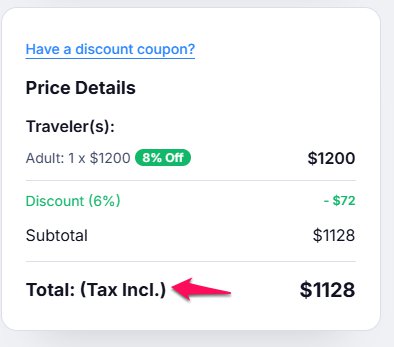
If you choose the Inclusive Tax option, the tax amount should already be included in the tour price. As a result, the checkout and all booking-related sections will display the tax as included in the total amount.
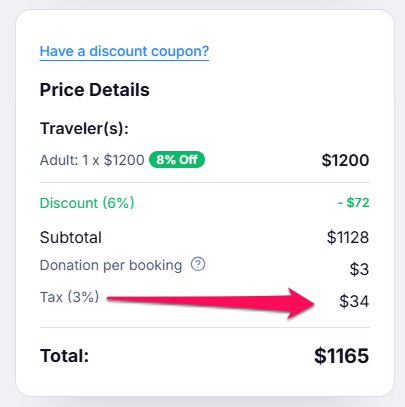
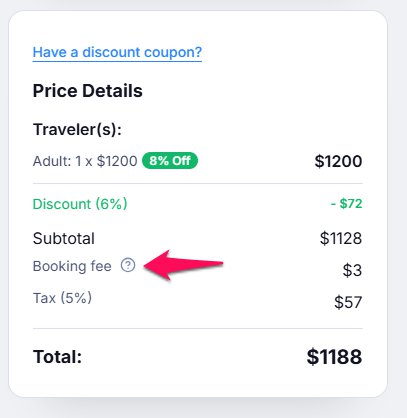
If you choose the Exclusive Tax option, the tax is calculated and added separately during checkout after all discounts and coupons have been applied to the booking total. This ensures the tax is accurately calculated based on the final payable amount.
Booking Fee Taxable #
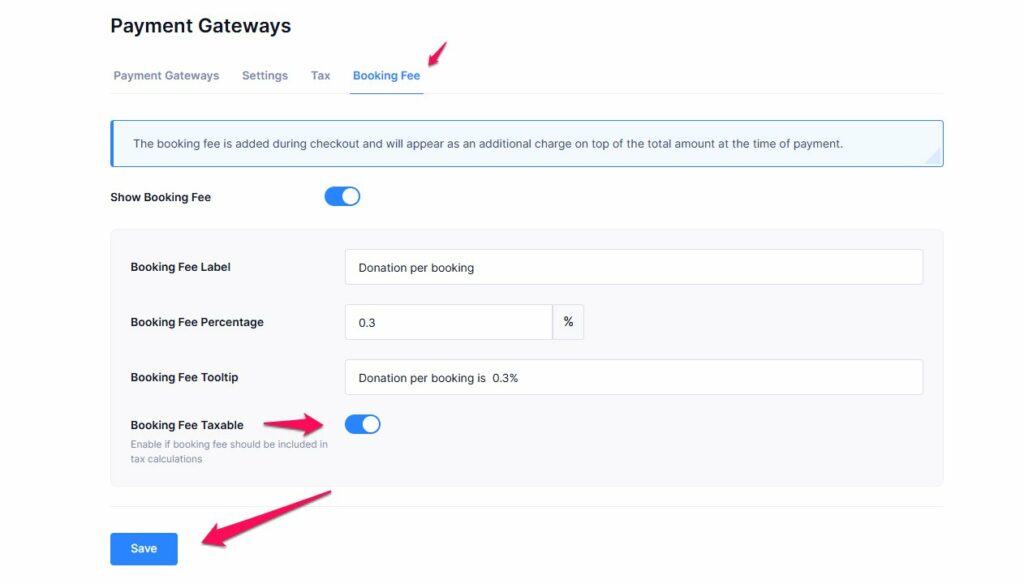
Tripcart also allows you to include booking fees in tax calculations.
To enable this:
- Go to:
Dashboard → Apps → Payment Gateways → Booking Fee - Enable the Booking Fee Taxable option
- Click Save
Once enabled, tax will also be applied to the booking fee amount during checkout.
Best Practice Recommendation #
- Use Inclusive Tax if you want simpler pricing visibility for customers.
- Use Exclusive Tax if you want customers to clearly see tax breakdowns during checkout.
- Enable Booking Fee Taxable only if booking fees are legally taxable in your region.
📧 If you face any issues or have questions, please reach out to our support team or initiate the chat located on the right.