
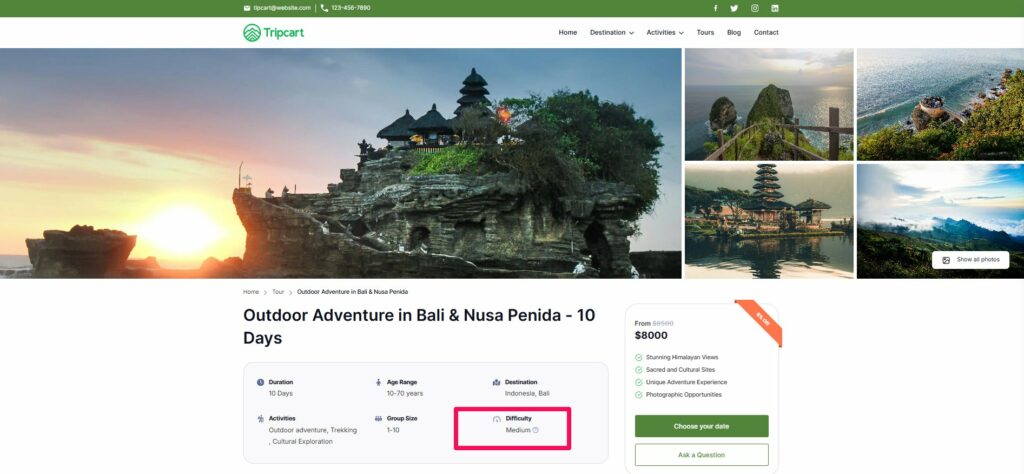
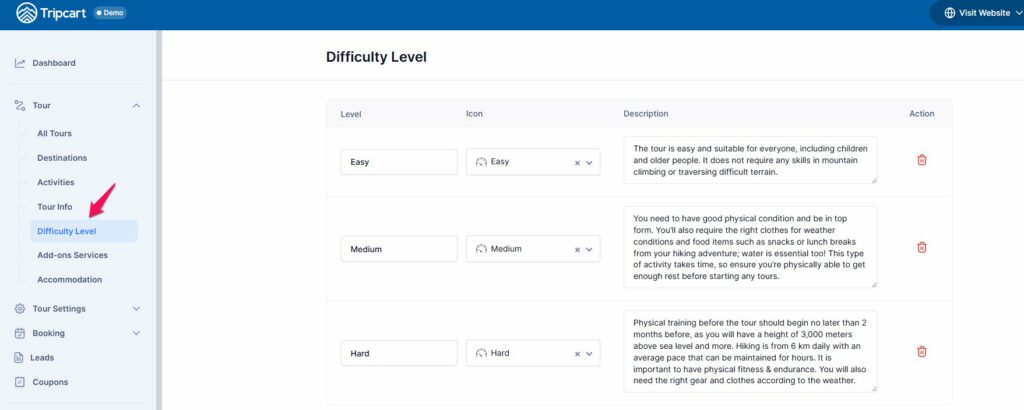
The difficulty level displayed in tours helps users understand the physical effort or skill required to participate in a specific activity. Tripcart offers three predefined levels for different preferences and abilities. You can edit the description, name or delete if you don’t need any of the levels.
Here are list of those levels:
- Easy
- Medium
- Hard
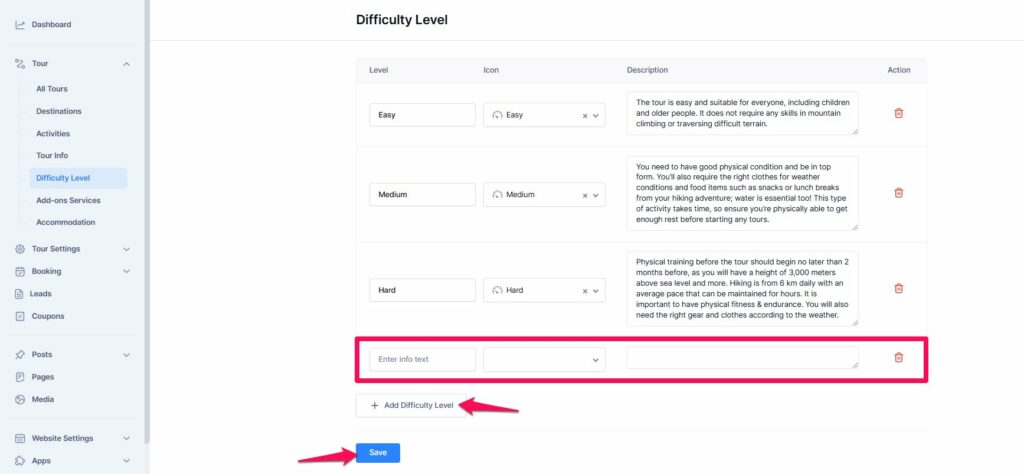
Adding Custom Difficulty Levels #
You can create additional difficulty levels if needed. Follow these steps:
- Log in to your Tripcart account and navigate to the Dashboard.
- Navigate to the Tour Section
- Go to the Difficulty Level section.
- Click on Add Difficulty Level button.
- Fill in the required fields:
- Level Info Text: Enter the name or title of the difficulty level.
- Icon: Upload an icon to visually represent the level.
- Description: Provide a brief description of the difficulty level.
- Click on Save to save the new difficulty level.
Once the new difficulty levels are added, select the appropriate level for each tour. This ensures users can easily understand the effort required for each activity. For instructions on how to use and assign difficulty levels to tours, please refer to this link.
📧 If you face any issues or have questions, please reach out to our support team or initiate the chat located on the right.