
Tripcart allows you to manage your subscription plans easily, including canceling your current plan if needed. Follow the steps below to cancel your subscription.
Accessing Your Subscription Settings #
- Log in to your Tripcart Dashboard.
- Navigate to Account Settings > Plans under the Billing section.
Cancelling Your Subscription #

- Scroll down and click on the Cancel My Subscription button.
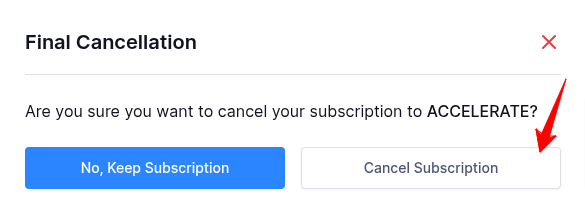
- A final cancellation confirmation popup will appear with two options:
- No, Keep Subscription: This allows you to continue with your current plan.
- Cancel Subscription: This will proceed with canceling your plan.
- Click on Cancel Subscription to finalize the cancellation.
Once canceled, your plan will not renew, and you will retain access until the end of your billing cycle.
📧 If you face any issues or have questions, please reach out to our support team or initiate the chat located on the right.