
Creating a blog post in Tripcart is an easy yet effective way to share your thoughts, updates, or stories with your audience.
In this guide, you’ll learn how to create and publish a blog post, from adding engaging content and images to organizing your post with categories and tags for better visibility
Add New Post #
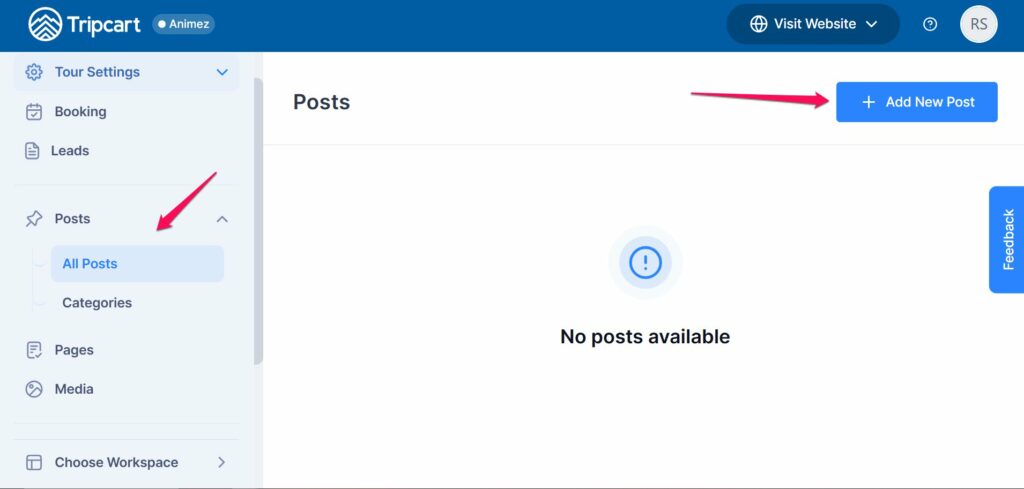
- Go to your Dashboard.
- Navigate to Posts menu and expand it.
- Click on All Posts and Add New button to create a new post.
Add the Title and Content of Your Post #
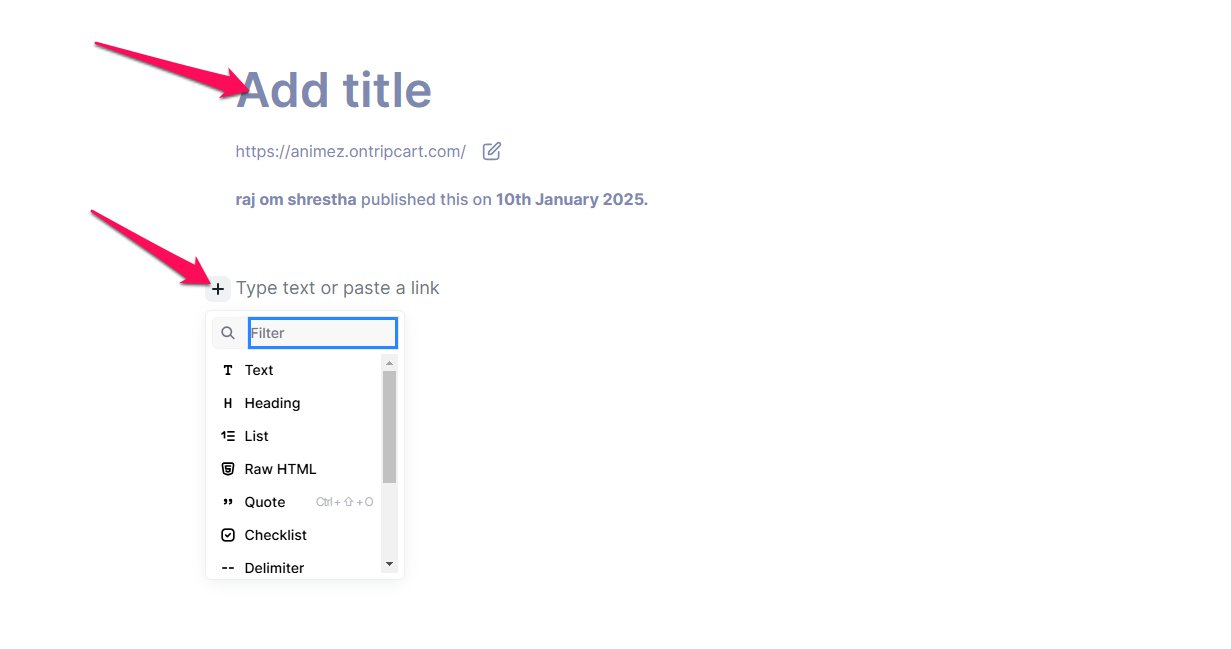
- In the editor, enter the title of your post in the “Title” field.
- Add your page content in the text editor.
- Use the “+” icon to insert additional elements like images, headings, or lists if needed.
Customize Post Settings #
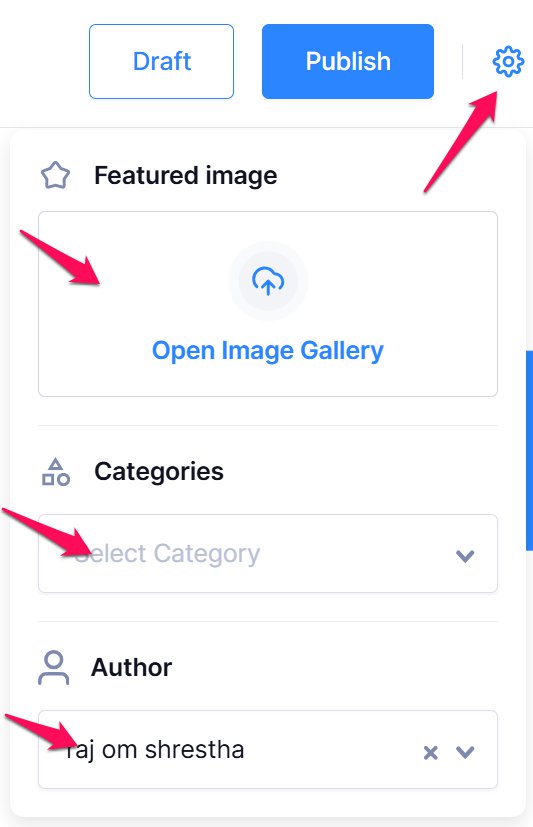
- Click on the Settings icon in the top-right corner of the editor to access post settings.
- Featured Image: Add a featured image by uploading a file or selecting one from your media library.
- Categories: Assign categories to your post to organize it.
- Post Author: Specify the author of the post if needed.
Publish, Save, or Delete the Post #
- To delete the post, click on the Delete Post option.
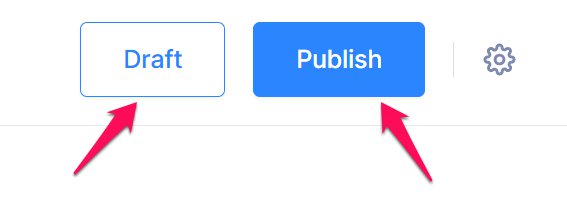
- To save your progress without publishing, click Save Draft.
- When ready to make the post live, click Publish.
📧 If you face any issues or have questions, please reach out to our support team or initiate the chat located on the right.