
To update your profile information in Tripcart, follow these steps:
- Log in to the Tripcart Dashboard.
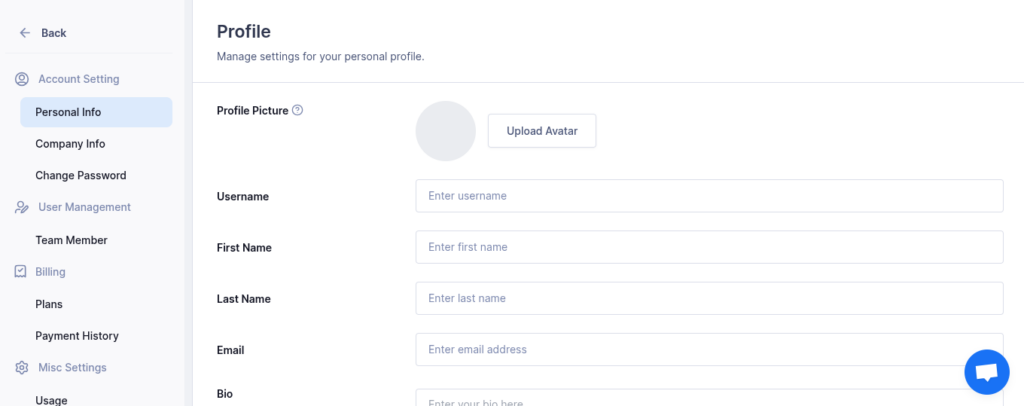
- In the left sidebar, navigate to Account Settings > Personal Info.
Personal Info Page Overview #
On the Personal Info page, you can manage your account details, including:
- Profile Picture: Upload or change your profile image.
- Username: Update your display username.
- First Name: Modify your first name as needed.
- Last Name: Modify your last name as needed.
- Email: Change the email address associated with your account.
- Bio: Write or edit a short bio about yourself.
- Timezone: Set your preferred timezone for accurate scheduling.
- Social Media Profiles: Add or update links to your social media accounts, including Facebook, LinkedIn, Instagram, Twitter, and YouTube.
Once you have made the necessary updates, click Update to save your changes.
Your profile information will now be updated successfully.
📧 If you face any issues or have questions, please reach out to our support team or initiate the chat located on the right.