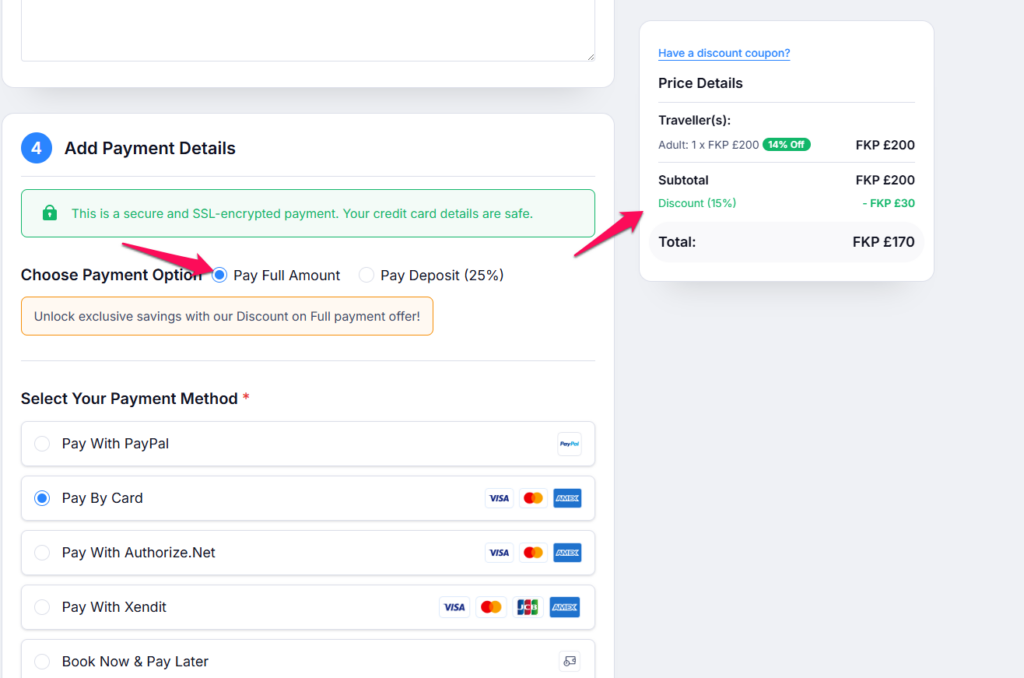
The Discount on Full Payment feature allows you to offer discounts to travelers who choose to pay the full amount at the time of booking. This incentive encourages travelers to complete their payment upfront rather than opting for a deposit-based payment plan.
Follow the steps below to enable and configure the Discount on Full Payment option in Trip Cart.
Step 1: Enable the Discount on Full Payment Feature #
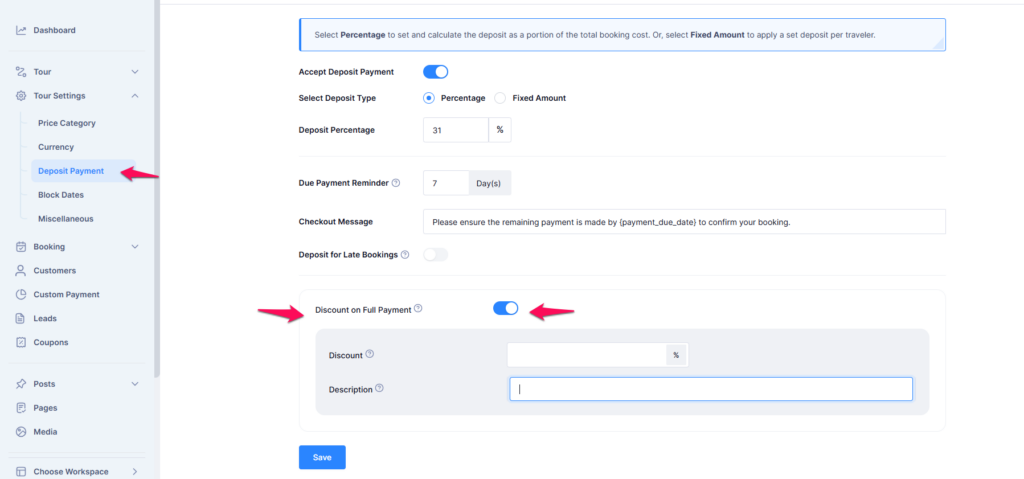
- Navigate to the Dashboard.
- Go to Tour Settings > Deposit Payment.
- Locate the Discount on Full Payment option.
- Enable the toggle switch to activate this feature.
Step 2: Configure Discount Settings #
- After enabling the Discount on Full Payment toggle, a discount configuration section will appear.
- Enter the Discount Percentage that will be applied to the total booking amount.
- Add a Description for the discount (e.g., “Get 15% off when you pay in full”).
- Click Save to apply the changes.
Step 3: How Travelers See the Discount #
- When a traveler proceeds to the payment section, they will see two options:
- Pay Full Amount (Eligible for discount)
- Pay Deposit (No discount)
- If the traveler selects Pay Full Amount, the discount will be automatically applied to their total.
- The discount will be visible in the Price Details section before completing the payment.
- This option will only appear when choosing a payment method other than Book Now Pay Later.